




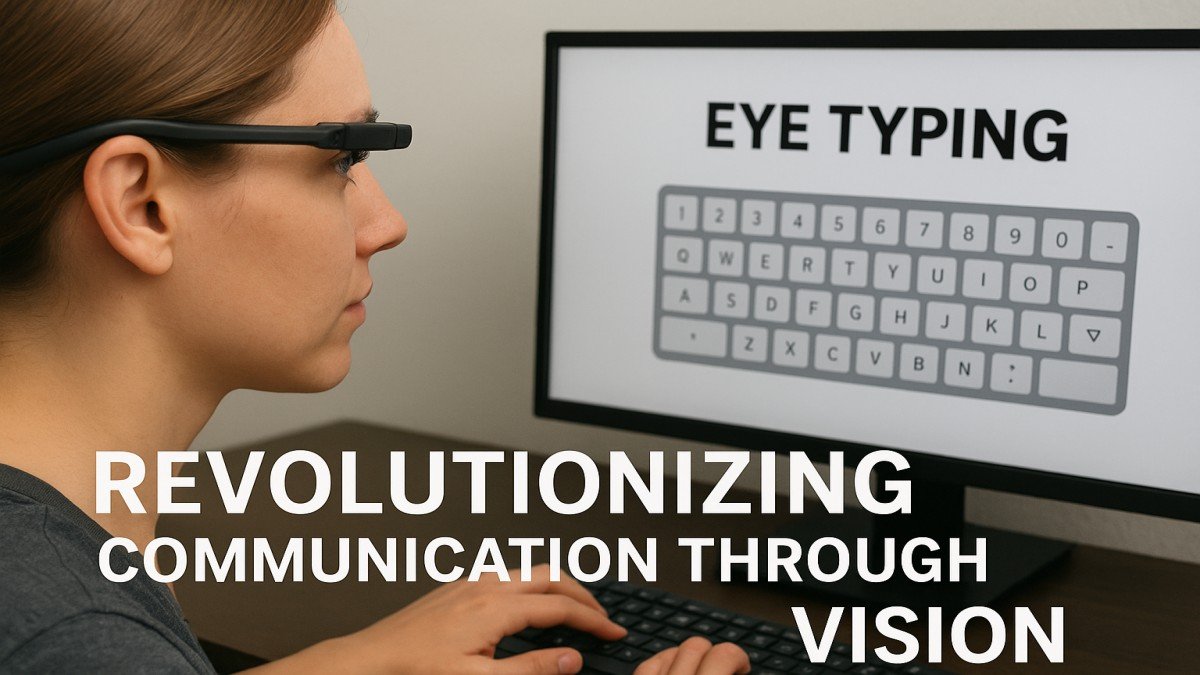
Introduction to Eye Typing
Have you ever imagined typing a message or writing an email just by looking at letters on a screen? That’s exactly what eye typing makes possible. It’s a groundbreaking technology that allows users to control a computer or mobile device using only their eye movements no keyboard, no mouse, and no hands required.
This innovation isn’t just futuristic; it’s life-changing, especially for individuals with physical disabilities who struggle with traditional input devices.
The Science Behind Eye Typing
Eye typing relies on eye-tracking technology, which uses infrared sensors and specialized cameras to detect where a person is looking. The system analyzes the direction and duration of a gaze, translating it into specific commands — like selecting letters, words, or icons.
The precision of modern systems is remarkable, enabling users to type with minimal effort and high accuracy.
History and Evolution of Eye Typing
The concept of gaze-controlled technology dates back to the late 20th century, when scientists explored ways for paralyzed individuals to communicate. Over the years, advances in computer vision, AI, and miniaturization led to affordable and portable eye-tracking devices.
What once cost tens of thousands of dollars can now be found integrated into laptops, tablets, and even AR/VR headsets.
Key Components of Eye Typing Systems
A typical system includes:
- Hardware: High-definition cameras, infrared illuminators, and display screens.
- Software: Algorithms that map gaze positions to on-screen elements, often with calibration tools for accuracy.
These two elements work seamlessly together to interpret eye movement in real-time.
How Eye Typing Works
Here’s a simplified version:
- The user looks at an on-screen keyboard.
- Cameras track eye movement using reflected infrared light.
- The software identifies the target letter or word.
- The user “selects” it by dwelling (staring) or blinking.
Predictive text further speeds up typing, just like autocorrect on smartphones.
Applications in Healthcare
Eye typing is a game changer in assistive communication. It’s particularly beneficial for:
- ALS (Amyotrophic Lateral Sclerosis) patients who lose motor function but retain eye control.
- Spinal cord injury survivors who cannot move their hands.
- Individuals with speech impairments, allowing them to express thoughts freely.
It empowers patients to communicate, control smart home devices, and even surf the web.
Eye Typing in Research and Education
Beyond healthcare, eye typing has found applications in academic research and inclusive education. It helps students with disabilities participate in digital learning and assists researchers in studying reading patterns and visual attention.
Advantages of Eye Typing
Some key benefits include:
- Hands-free operation: Perfect for mobility-restricted users.
- Independence: Enables self-expression and communication.
- Portability: Modern systems can fit into tablets and laptops.
- Accuracy: Eye movement is faster and more consistent than hand input for some users.
Challenges and Limitations
While revolutionary, eye typing isn’t without its hurdles:
- Calibration issues: Lighting and eye color can affect accuracy.
- User fatigue: Prolonged staring can be tiring.
- High cost: Advanced systems remain expensive, though prices are dropping.
Despite these, constant innovation is narrowing these gaps.
Eye Typing vs. Traditional Input Methods
Compared to keyboards or speech recognition:
- Eye typing is ideal in noisy or silent environments.
- It offers accessibility for users who can’t speak or type.
- However, it’s slower for long-form text unless assisted by predictive AI.
Notable Eye Typing Devices
Some leading technologies include:
- Tobii Dynavox: A trusted system in assistive communication.
- EyeTech Digital Systems: Focused on precision and medical-grade reliability.
- Hawkeye Access: A mobile-friendly app for iOS users.
These systems make eye typing available across multiple platforms and budgets.
Conclusion
Eye typing represents a powerful leap toward inclusive technology. It’s giving a voice to those who can’t speak and a digital hand to those who can’t type. As it merges with AI, AR, and wearable innovations, eye typing is set to transform not just accessibility but the way everyone interacts with technology.
FAQs
1. What is eye typing used for?
Eye typing allows users to control computers or devices using eye movement, primarily helping individuals with mobility or speech impairments.
2. How accurate is eye typing technology?
Modern systems achieve up to 95–98% accuracy with proper calibration.
3. Can eye typing help people with disabilities?
Yes, it’s one of the most empowering tools for users with ALS, spinal injuries, or other motor impairments.
4. Is eye typing expensive?
While advanced systems can be costly, more affordable and even free software options are emerging.
5. What is the future of eye-control communication?
Integration with AI, VR, and AR will make eye typing faster, more natural, and widely accessible.