



If you’ve ever felt that typing on a QWERTY keyboard is awkward or inefficient, you’re not alone. The Dvorak keyboard layout was created for exactly that reason to make typing faster, easier, and more ergonomic. While QWERTY remains the standard worldwide, the Dvorak layout continues to attract writers, programmers, and productivity enthusiasts looking for a better way to type.
In this article, we’ll explore what the Dvorak keyboard is, why it exists, and whether switching to it is worth your time.
What Is the Dvorak Keyboard?
The Dvorak Simplified Keyboard is an alternative typing layout designed by Dr. August Dvorak in 1936. Unlike QWERTY which was designed in the 1870s for mechanical typewriters—the Dvorak layout is engineered for efficiency, comfort, and speed.
Its primary goal?
To reduce finger movement and increase typing accuracy.
Why Was the Dvorak Layout Created?
Dr. Dvorak studied typing patterns and concluded that QWERTY forced fingers to move too much, slowing typists down and causing unnecessary strain.
He redesigned the layout by:
- Placing the most commonly used letters on the home row
- Positioning vowels on the left hand
- Distributing consonants across the right hand
- Reducing awkward stretches and repetitive motions
His vision was simple:
Let the fingers do less work while producing more words per minute.
How the Dvorak Layout Works
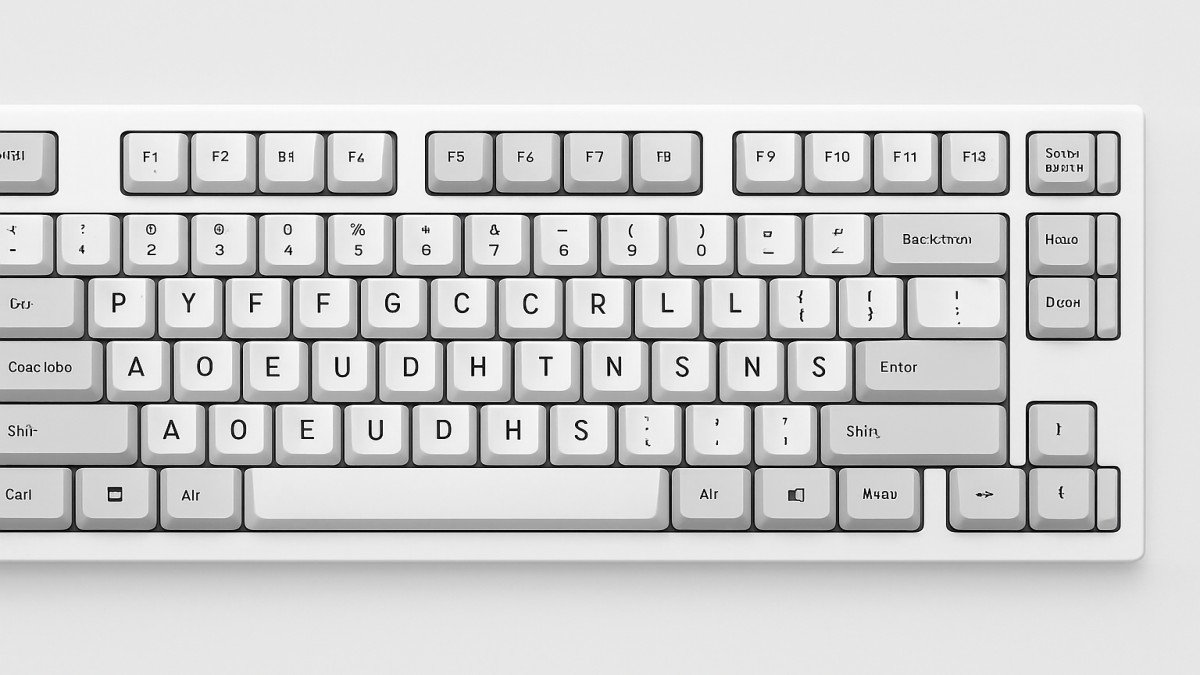
The Dvorak keyboard rearranges letters based on frequency of use in English.
The Home Row
Dvorak’s home row includes 70% of the most-used letters, compared to QWERTY’s roughly 30%.
Home row on Dvorak:
A O E U I D H T N S
Because so many words can be typed right from the home row, fingers move less and stay more relaxed.
The Vowels and Consonants Split
- Left hand: vowels (A, O, E, U, I)
- Right hand: most common consonants (D, H, T, N, S)
This encourages an alternation pattern while typing, which increases flow and reduces fatigue.
Less Finger Stretching
The layout minimizes the need to reach for the top and bottom rows, especially for frequently used letters.
Benefits of the Dvorak Keyboard
1. Faster Typing Speeds
Many users report a significant boost in typing speed after switching to Dvorak.
Some world-record typists, including Barbara Blackburn, used Dvorak to reach speeds over 200 WPM.
2. Reduced Finger Strain
Because fingers move far less, you experience:
- Less fatigue
- Fewer repetitive stress injuries
- More comfortable long typing sessions
3. Improved Accuracy
The design naturally reduces common typing mistakes by grouping logical letter sequences.
4. Easy to Set Up on Any Device
Windows, macOS, Linux, iOS, and Android all support the Dvorak layout natively—no special hardware needed.
Drawbacks of Switching to Dvorak
It’s not all perfect. Switching comes with challenges.
1. Learning Curve
Most users need 2–4 weeks to feel comfortable and several months to master the layout.
2. Shared Computers Become Awkward
Public or shared keyboards will default to QWERTY, and switching layouts constantly can be annoying.
3. Gaming and Shortcuts
Shortcuts (like Ctrl+C, Ctrl+V) may feel awkward in Dvorak, especially in software designed around QWERTY.
4. Muscle Memory Reset
If you’ve typed on QWERTY your whole life, rewiring your brain takes patience.
Who Should Consider Switching to Dvorak?
The Dvorak layout can be especially beneficial for:
Writers
Typing long hours becomes easier on the hands.
Programmers
Less strain and improved efficiency for constant typing.
People With RSI or Wrist Pain
Reduced movement may ease stress injuries.
Productivity Enthusiasts
If you enjoy optimizing tools and workflows, Dvorak is worth trying.
Conclusion
The Dvorak keyboard layout is a thoughtful, ergonomic alternative to QWERTY. It reduces finger movement, improves comfort, and may even help you type faster over time. But it comes with a learning curve and may not suit everyone—especially those who use multiple shared computers or perform shortcut-heavy tasks.
If you’re curious about improving typing efficiency or reducing hand strain, trying Dvorak could be a worthwhile experiment. It won’t change your life overnight, but with practice, it might just become your new favorite typing method.
FAQs
1. Is the Dvorak keyboard really better than QWERTY?
It’s more ergonomic and reduces finger movement, but whether it’s “better” depends on your needs.
2. How long does it take to switch to Dvorak?
Most people need 1–3 months to reach comfortable typing speeds.
3. Do I need a special keyboard to use Dvorak?
No. Every major operating system allows you to switch layouts instantly.
4. Is Dvorak good for gaming?
Not always. Many games rely on QWERTY-based movement keys, making Dvorak less convenient.
5. Will learning Dvorak affect my QWERTY skills?
You may become slower on QWERTY initially, but many people retain both layouts over time.