




Introduction
What Is the SmartThings Hub?
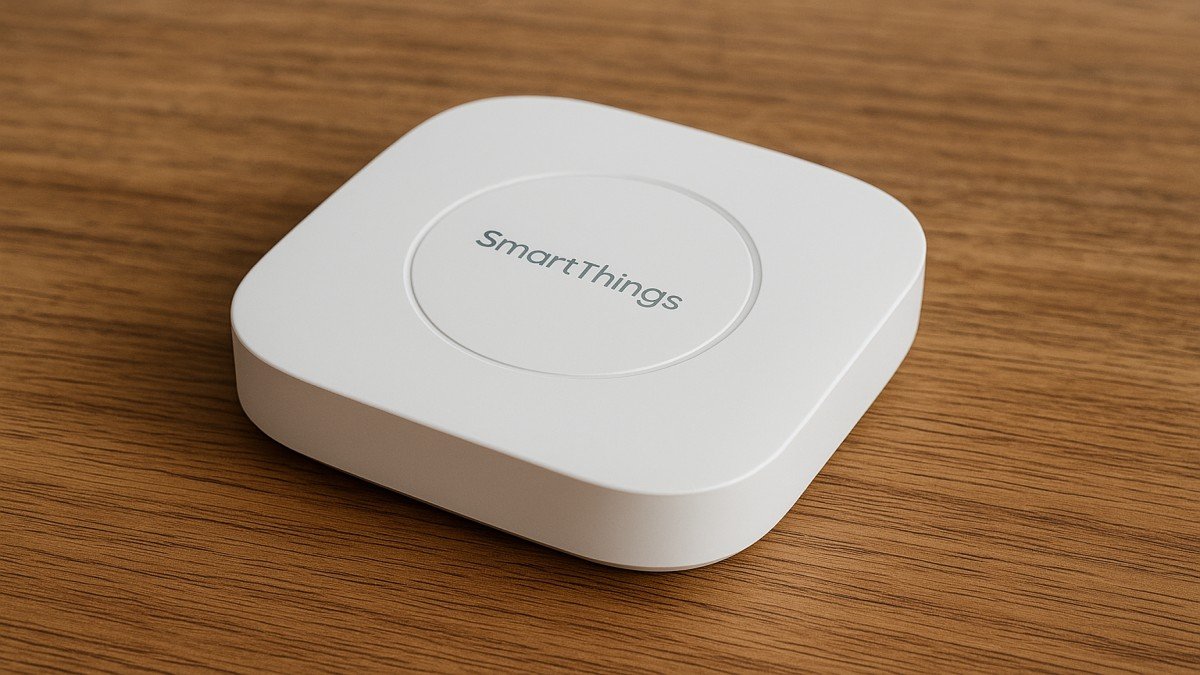
The SmartThings Hub is the brain of your smart home setup. Think of it as the command center that links all your smart devices lights, sensors, locks, cameras, plugs—into one unified system. Instead of jumping between multiple apps, everything runs under a single platform.
Why Smart Home Users Love It
It saves time, boosts security, and makes your home feel futuristic. Whether you want lights to turn on as you walk in or doors to lock automatically at night, the SmartThings Hub makes it effortless.
How the SmartThings Hub Works
SmartThings App Integration
Everything connects through the SmartThings app. You can monitor device status, set automations, or control your home remotely—perfect when you’re away.
Connecting All Your Devices
The hub uses Wi-Fi along with smart home communication protocols to sync everything smoothly.
Zigbee and Z-Wave Support
These two wireless technologies let you connect dozens of devices without clogging your Wi-Fi network. That means:
- Better reliability
- Lower power usage
- Faster response times
Key Features of the SmartThings Hub
Multi-Device Compatibility
This hub works with hundreds of brands—Philips Hue, Yale, Ring, Ecobee, and more. It’s one of the most flexible hubs available today.
Automations and Routines
Want your lights to dim at sunset or your air purifier to activate when you get home? SmartThings routines make it possible in seconds.
Voice Assistant Integration
SmartThings pairs perfectly with:
- Amazon Alexa
- Google Assistant
- Samsung Bixby
So yes, you can just say, “Turn off the living room lights,” and it listens.
Benefits of Using a SmartThings Hub
Centralized Control
No more juggling apps. Everything—lights, sensors, thermostats—runs from one place.
Improved Home Security
You can automate:
- Motion alerts
- Door lock notifications
- Camera recordings
It adds a protective layer to your home without expensive systems.
Energy Efficiency
By setting smart routines, you save on electricity:
- Lights off automatically
- Thermostat adjustments
- Smart plugs controlling standby power
Smart Devices Compatible with SmartThings
Smart Lights
Brands like Philips Hue, Sengled, and LIFX pair easily, giving you full control over brightness, color, and schedules.
Smart Locks and Sensors
Yale, Schlage, and Aeotec door sensors work seamlessly for added security.
Thermostats and Cameras
Ecobee, Nest (limited), and Ring integrate well—letting you build a more connected home.
Setting Up the SmartThings Hub
Installation Steps
- Plug the hub into power
- Connect it to your router (or pair wirelessly on newer models)
- Open the SmartThings app
- Add the hub and follow on-screen instructions
Connecting Your First Devices
Tap “Add Device,” choose your brand, and pair it. Within minutes, your smart home starts coming to life.
Troubleshooting Common Issues
Connectivity Problems
If a device disconnects:
- Move the hub closer
- Ensure your Wi-Fi isn’t overloaded
- Restart the device
Device Not Showing in App
Try re-adding the device or resetting it using the manufacturer’s instructions.
Fixing Lag or Slow Response
This often comes from interference. Keep your hub away from thick walls or other signal-blocking objects.
SmartThings Hub vs Other Smart Home Hubs
SmartThings vs Alexa Hub
Alexa is great for voice control, but as a hub, SmartThings has stronger compatibility and automation tools.
SmartThings vs Google Home
Google excels at voice commands, but SmartThings supports more third-party sensors and devices.
SmartThings vs HomeKit
Apple HomeKit is secure and elegant but limited in compatible hardware unless you use extra bridges. SmartThings is more open and flexible.
Tips for Optimizing Your Smart Home
Placing Your Hub in the Right Spot
Keep it:
- Central
- Elevated
- Away from metal objects
This improves coverage dramatically.
Using Automations for Daily Tasks
Try routines like:
- “Good Morning” → lights on, thermostat adjusts
- “Away Mode” → all lights off, locks engage
- “Sleep Mode” → dim lights, activate sensors
It’s like having a digital butler.
Final Thoughts
The SmartThings Hub is one of the most powerful tools for creating a connected, efficient, and secure home. Whether you’re just beginning your smart home journey or expanding an existing setup, this hub gives you the freedom to customize your home exactly the way you want. Easy to use, widely compatible, and incredibly flexible—it’s no surprise that SmartThings remains a top choice among smart home enthusiasts.
FAQs
1. Do I need the SmartThings Hub to use the SmartThings app?
Not for all devices, but having the hub unlocks many advanced features.
2. How many devices can SmartThings support?
Dozens—sometimes more, depending on your hub model and network strength.
3. Can SmartThings work without Wi-Fi?
Some Zigbee and Z-Wave devices will still communicate, but remote control needs Wi-Fi.
4. Is SmartThings compatible with Apple devices?
Yes, you can use the app on iPhone, but it’s not fully integrated with Apple HomeKit.
5. Does SmartThings require a subscription?
No. All the main features are free to use.